
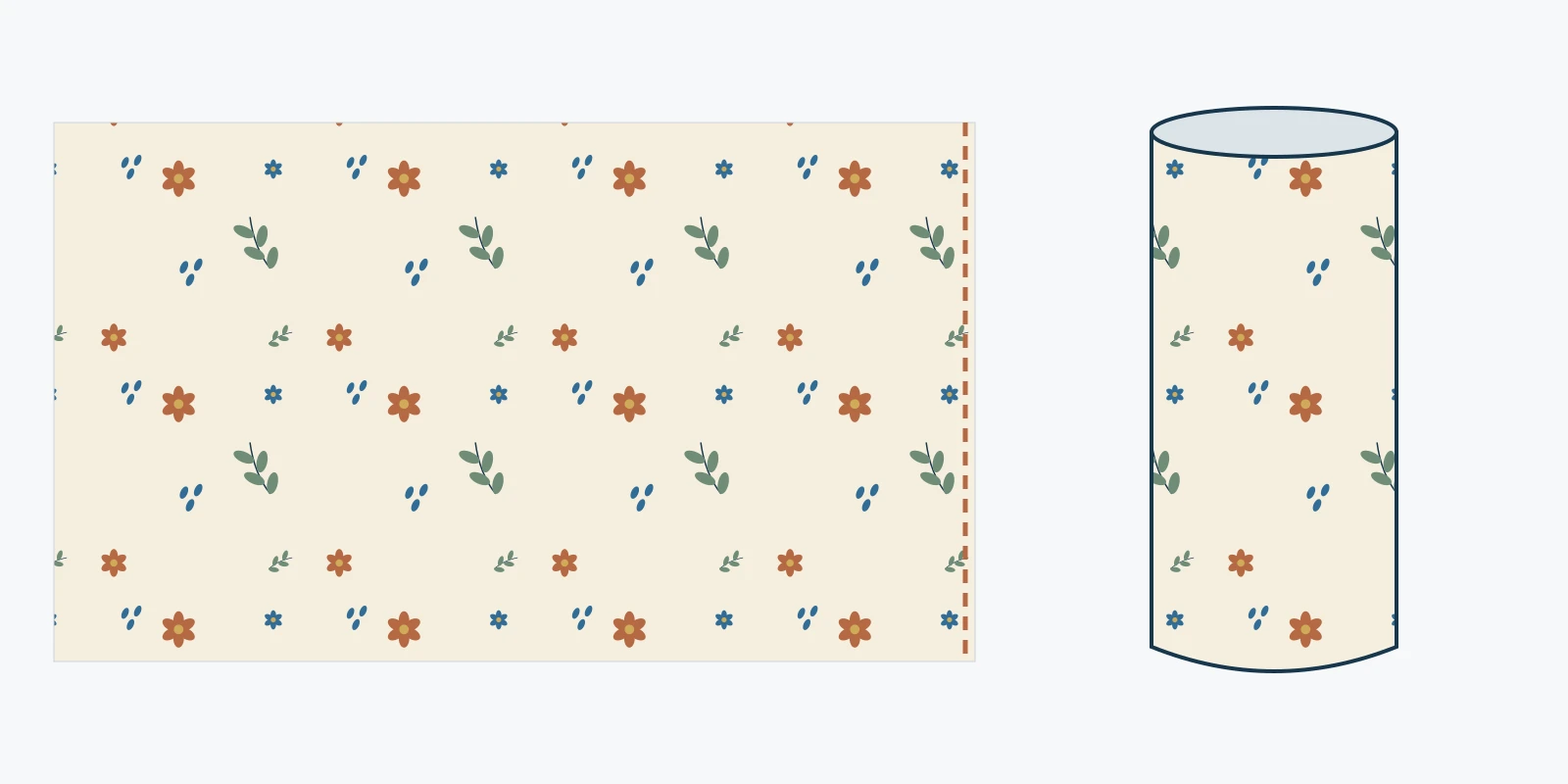
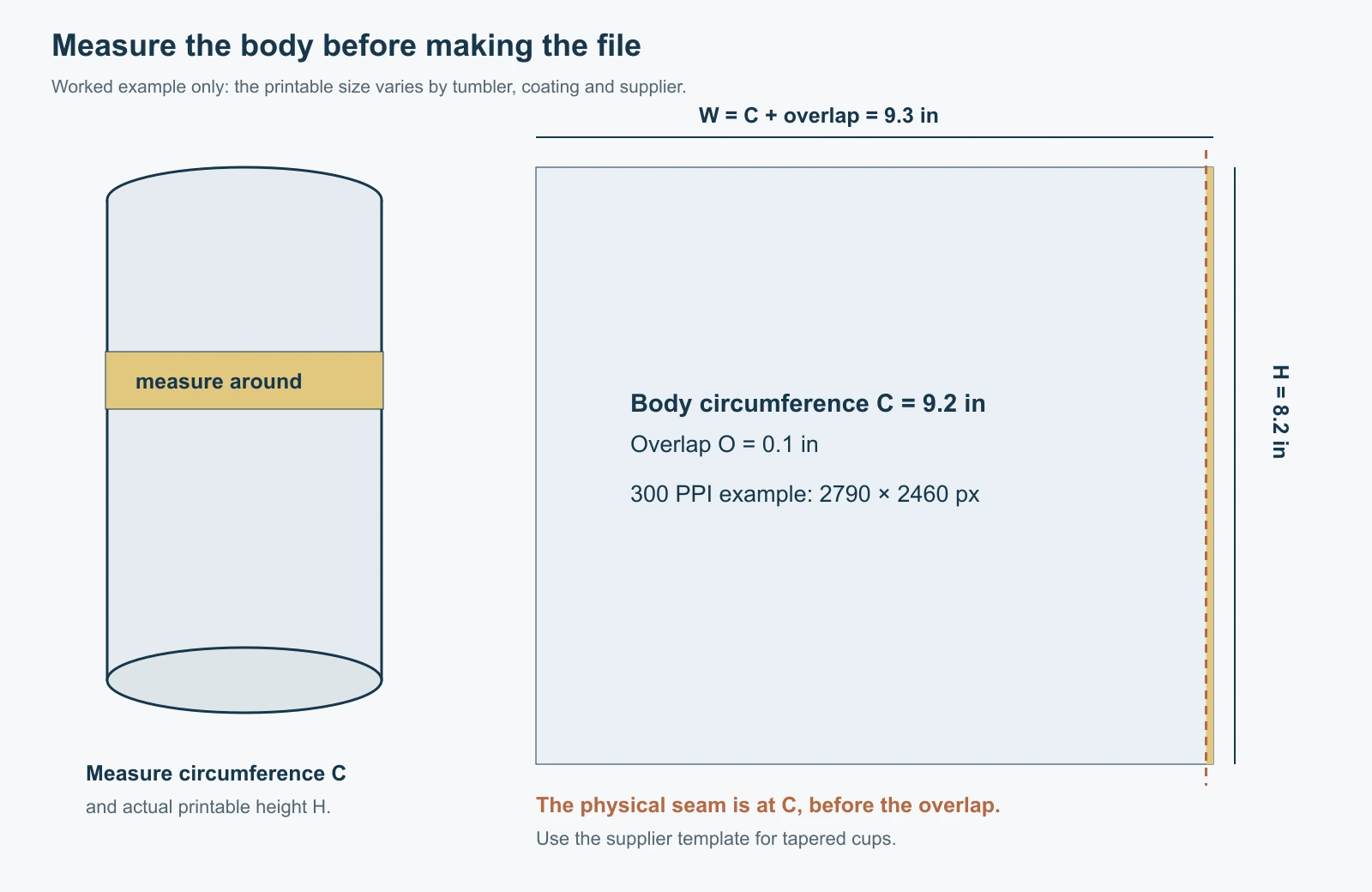
A 20 oz tumbler wrap size depends on the exact blank, its printable height, and whether its sides taper. You will often encounter a 9.3 × 8.2 inch design for a skinny tumbler. At 300 pixels per inch, that artwork is 2790 × 2460 pixels. Treat those numbers as a worked example until you have measured your own tumbler and checked its supplier's template.
The job is finished when the printed paper fits the physical blank, the artwork meets cleanly at the seam, and the important elements sit inside the usable area. A file that looks correct on screen can still fail any of those checks.
Start with the blank and its matching template
The 20 oz label describes capacity. It does not give you a printable circumference, a wall profile, or the usable height below the rim. A straight skinny blank, a shorter travel cup, and a tapered tumbler can all carry the same capacity label while needing different artwork.
Find the manufacturer and model number before choosing a template. The Stainless Depot, for example, sells a template specifically for its 20oz Skinny Edge Tumbler, with separate seamless and overlap variants. The manufacturer also tells users to check its included measurements when software resizes a file. That is a useful reason to keep the template's instructions alongside the artwork.
If you have no template, record the following measurements on the actual blank. A printable measurement sheet can keep them with the project.
| Measurement | Where to measure | What it determines |
|---|---|---|
| Upper circumference | Around the top of the intended print area | Width at the upper edge |
| Lower circumference | Around the bottom of that same area | Whether the wrap needs taper |
| Printable height | Along the usable wall between those boundaries | Artwork height |
| Seam allowance | From the supplier's wrap method or template | Extra artwork and overlap treatment |
Use a flexible tape or a nonstretch paper strip held flat against the wall. Keep it level and mark where its ends meet. Exclude the lid, rolled rim, curved shoulder, and rounded base unless the supplier's template explicitly includes them.
Straight and tapered wraps need different shapes
A cylindrical print area unwraps into a rectangle. Its upper and lower circumferences are effectively equal, so the left and right edges can meet along a vertical line.
A tapered wall needs a shaped template. A rectangle can meet at one end and drift apart at the other. Use the supplier's exact tapered outline, or a properly constructed template based on the upper circumference, lower circumference, and usable wall height. Stretching one side of a rectangular PNG by eye can distort circles, lettering, and motif spacing.
A paper proof is also useful for a blank sold as straight. Small shape differences, the rounded base, and an inaccurate measurement can still affect the fit. Use the manufacturer's tolerances and your physical proof when deciding whether a difference matters.
Size examples in inches, centimeters and pixels
These are calculated artwork examples, not a compatibility chart for particular tumbler brands. The sizes include whatever allowance the hypothetical artwork requires; do not add overlap again without checking the template.
| Example artwork size | Size in centimeters | Pixels at 300 PPI |
|---|---|---|
| 9.0 × 8.0 in | 22.86 × 20.32 cm | 2700 × 2400 px |
| 9.3 × 8.2 in | 23.622 × 20.828 cm | 2790 × 2460 px |
| 9.5 × 8.2 in | 24.13 × 20.828 cm | 2850 × 2460 px |
The calculations are straightforward.
- Inches × 2.54 gives centimeters.
- Inches × source PPI gives pixels.
- For centimeter measurements, divide by 2.54 before multiplying by PPI.
For example, 9.3 × 300 = 2790 and 8.2 × 300 = 2460. The 2790 × 2460 pixel practice image uses that example canvas. It is not a manufacturer template or a fit guarantee.
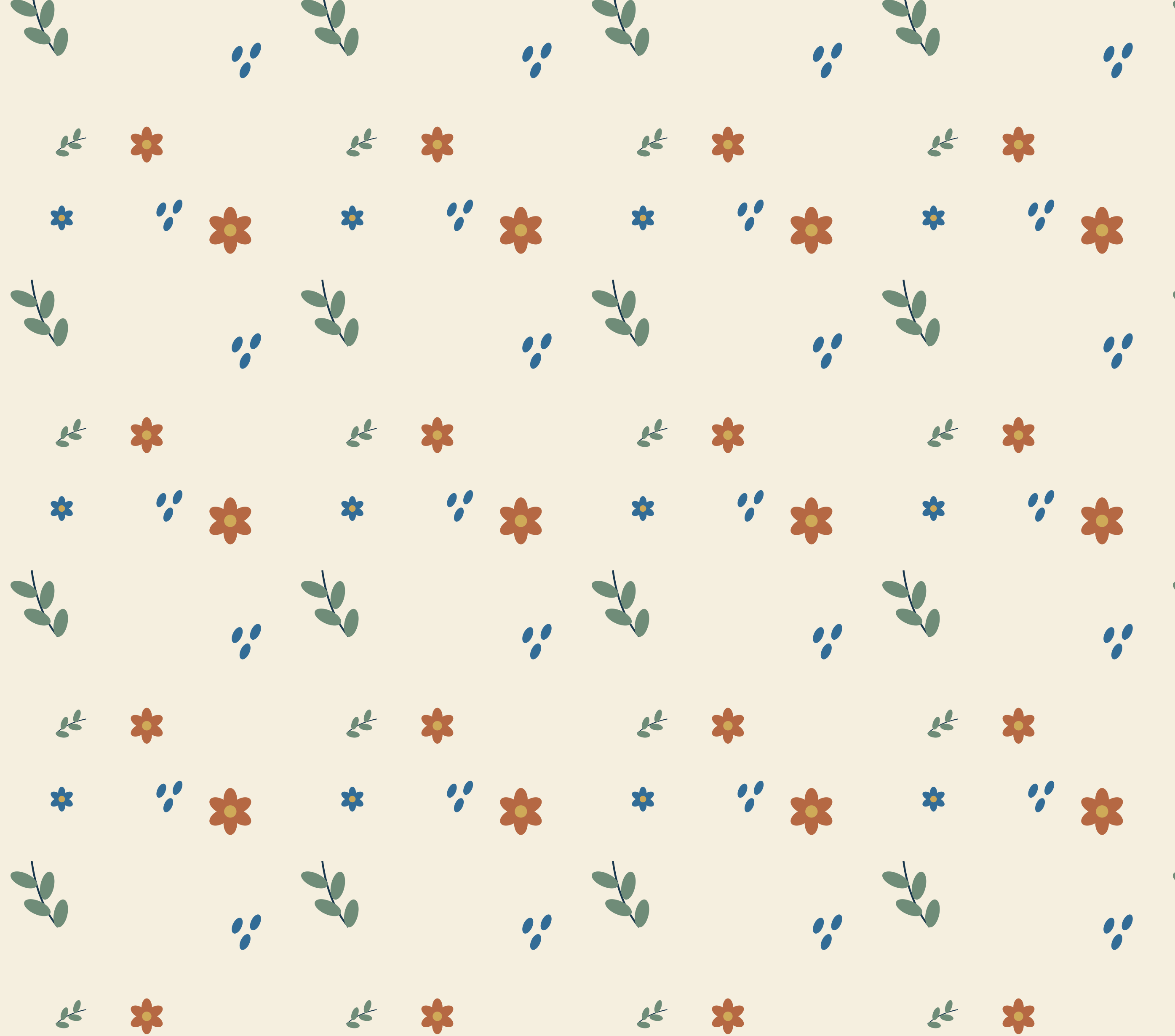
PPI describes the source pixels assigned to each printed inch. Printer DPI describes a different part of the output process. Software sometimes labels an image's resolution field “DPI,” but changing that metadata alone does not create detail. A small image enlarged to this canvas can still look soft. Keep the final dimensions required by your supplier and inspect the artwork at the intended print scale.
Plan the overlap around the physical circumference
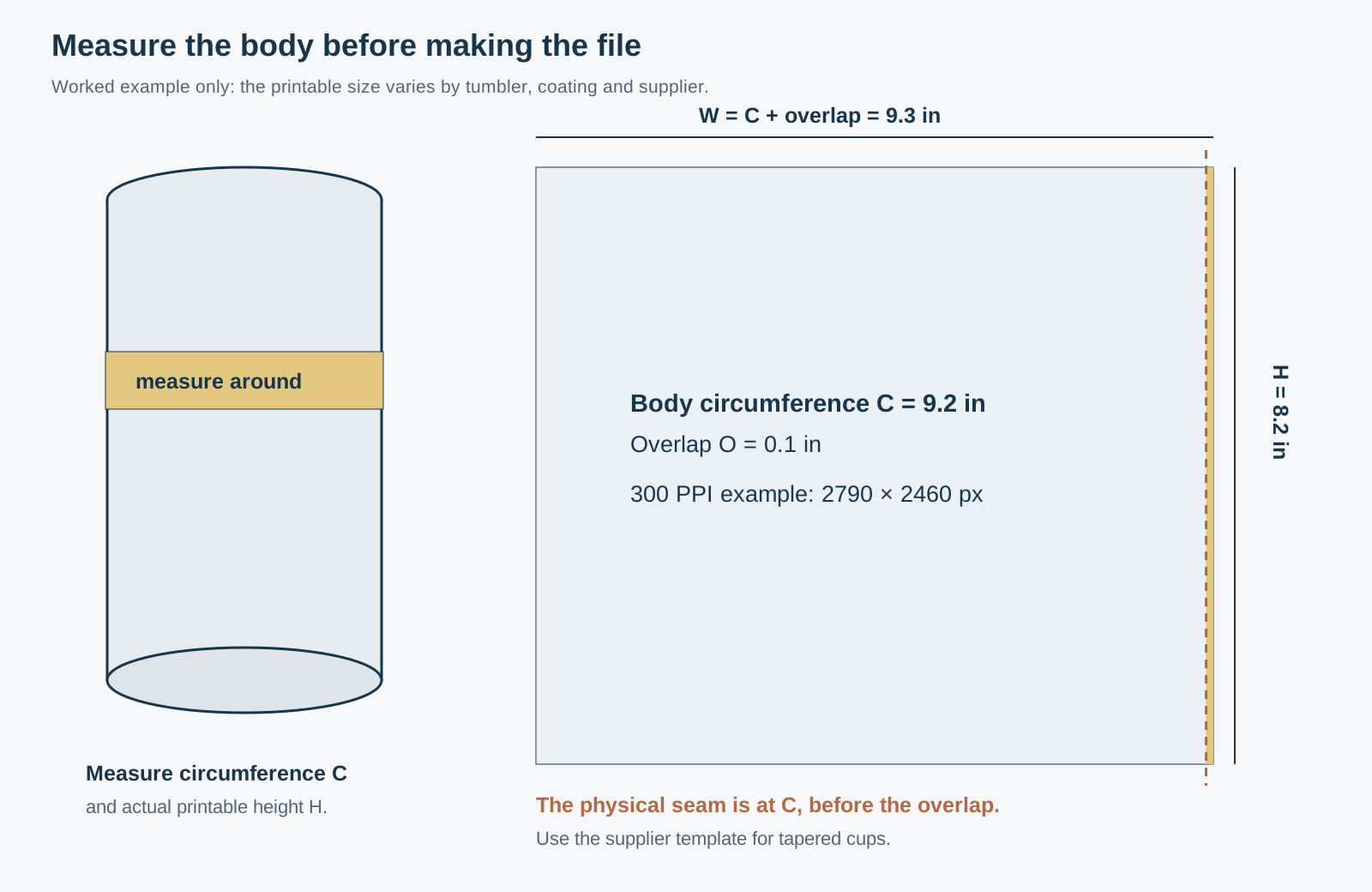
Distinguish the body circumference from the full printed width. For a straight blank, a useful planning equation is artwork width = measured circumference + the required overlap. Use the allowance specified for your blank and method; there is no universal overlap that works for every process.
Here is a worked layout with a 9.2 inch measured circumference, 8.2 inch printable height, and a chosen 0.1 inch overlap. The final canvas is 9.3 × 8.2 inches. At 300 PPI, the body portion occupies 2760 pixels and the overlap occupies another 30 pixels.
For a continuous repeat, the artwork must agree at the positions that physically meet around the cup. In this example, compare the start of the design with the design at 2760 pixels, then continue the first 30 pixels into the overlap. Matching only the far left and far right edges of the 2790 pixel canvas uses the overlap as part of the repeat period and can misalign the actual join.
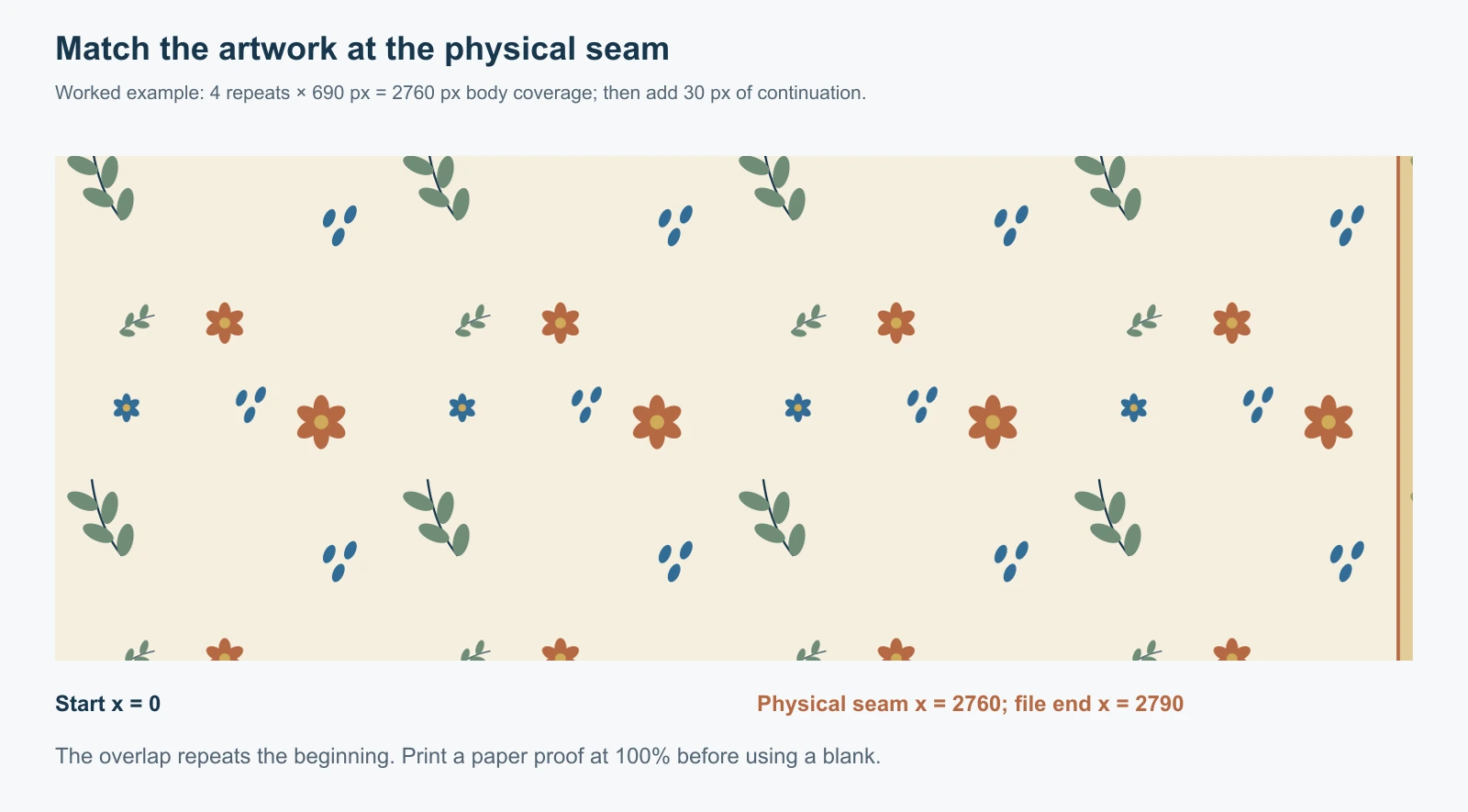
If you want four complete repeats around that body, each repeat is 9.2 ÷ 4 = 2.3 inches wide, or 690 pixels at 300 PPI. Preserve the source tile's proportions when setting its scale. Change the number of repeats or reposition the artwork if a different motif size works better.
Keep names, faces, logos, and focal elements away from the join and the rim boundaries. For a single scene rather than a repeating design, decide where the back seam belongs and extend background artwork through its allowance.
Make a paper proof before transferring the design
Print an inexpensive outline or low-ink proof at its intended physical dimensions. In Acrobat, Actual size prints without scaling, while Fit can enlarge or reduce the page, as Adobe's print-size documentation explains. Check equivalent settings in your own print software.
Measure the print with a ruler. Include a one-inch test square or another known reference on the proof if space allows. A label saying 100% is useful, but the measured result is the check that matters.
Trim and wrap the proof around the blank. Inspect the upper edge, lower edge, seam, overlap, and focal artwork. If the paper is the right width but one end does not lie flat, revisit the wall shape. If both dimensions are smaller than the document, investigate print scaling or printer margins before editing the design.
The print must fit the printer's actual printable area. Do not reduce it automatically to squeeze it onto a smaller sheet. Choose a supported paper size and workflow that can accommodate the required design. Reproof after changing any dimensions.
Prepare repeating artwork for the measured canvas
First inspect the source as a repeat in the free Pattern Checker. Look at the boundary where a leaf, stripe, dot row, or texture feature crosses the edge. Then check the larger rhythm for obvious columns and distracting landmarks.
If the source image needs edge repair, use the image-to-seamless pattern workflow before building the wrap. Preserve the editable original separately. Automatic repair can change boundary details and should be reviewed before it is repeated across a product.
The Pattern Filler can build a larger raster canvas with a chosen repeat layout, tile scale, dimensions, and DPI metadata. For a straight tumbler, verify the motif phase at the measured body circumference and extend the overlap appropriately in your layout. For a tapered tumbler, fit the artwork to the manufacturer's shaped template in suitable design software. SeamlessCanvas does not measure the blank or generate a calibrated conical die line.
Export the format your production workflow accepts. A PNG can preserve raster artwork and transparency; a PDF or SVG template may provide boundaries and instructions rather than a finished print. Follow the supplier's requirements for mirroring, color handling, pressure, time, and temperature. Those settings depend on the blank, coating, ink, paper, and equipment.
Troubleshoot the fit before changing the art
| Symptom | Check first |
|---|---|
| A white gap runs down the seam | Body measurement, printed width, intended overlap, and actual print scale |
| One end fits and the other wrinkles | Taper, printable wall boundaries, and the correct shaped template |
| A motif jumps at the seam | Repeat phase at the body circumference, before the overlap |
| Circles look oval | Unequal horizontal and vertical resizing |
| The top edge wanders | Level placement and alignment to the usable print area |
| Fine artwork looks soft | Source pixel dimensions and enlargement at the final physical size |
Frequently asked questions
Is 9.3 × 8.2 inches the correct size for every 20 oz tumbler?
No. It is a commonly encountered design size and a useful calculation example. Use the exact model's template, measure the blank, and verify a full-size paper proof.
What is a 9.3 × 8.2 inch wrap in pixels?
At 300 PPI it is 2790 × 2460 pixels. At 200 PPI the same physical artwork is 1860 × 1640 pixels. The required source resolution depends on your production workflow; use the supplier's specification.
Can I change a 20 oz design to fit a tapered tumbler?
You can reposition artwork inside the correct shaped template. Resizing a rectangular file does not by itself construct the geometry of a tapered wrap. Keep important artwork inside the template's safe area and make another paper proof.
Does making the image seamless guarantee an invisible tumbler seam?
No. Image continuity, fit, overlap, placement, and transfer settings all contribute. A seamless source tile can still meet at the wrong motif position if the body circumference is not aligned with the repeat.
Should I print the worked example directly on a blank?
Use it for size calculations and a paper layout exercise. It is not sized for a verified manufacturer model. Replace its dimensions and artwork with those required by your exact blank before production.